
Add Login Credential in Jenkins
Steps –
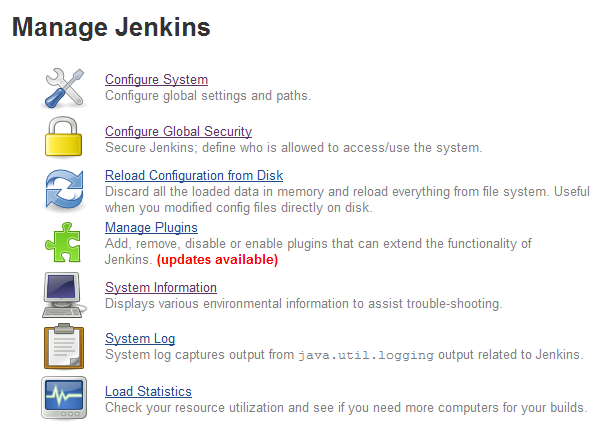
1. Click on Manage Jenkins

2. Under Manage Jenkins Select Configure Global Security.
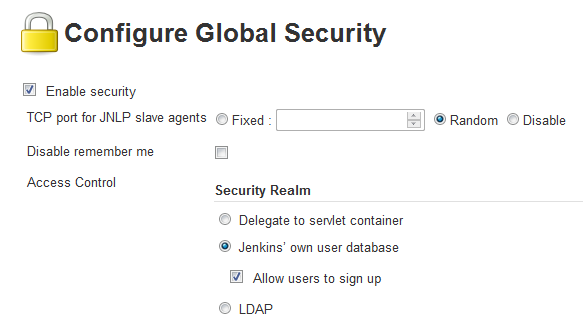
3. Now Select Enable security with Jenkins own user database
4. Create a user and assign all responsibilities.

5. Now Sign Up with saved user name.
You can follow this video as well –
That’s it. 🙂
